Library Manager (MAUI)
Library Manager is a cross-platform application developed in C# using the .NET MAUI framework.
This project is a migration of the original WPF-based Library Manager
(BookLibraryManager) to MAUI,
allowing it to run on multiple platforms, including Windows, MacOS, Android, and iOS.
Features
- Book Management: Add, edit, and remove books from the library.
- Categories & Authors: Organize books by categories and authors (Planned).
- Search & Filter: Easily find books using various search and filter options.
- Multi-Platform Support: Runs on Windows(WPF), MacOSX, Android (Planned), and iOS (Planned).
- Modern UI: Built using .NET MAUI for a responsive and adaptive UI.
- Local Storage: Saves book data locally using SQLite (Planned). Now uses XML.
- Cross-Platform Synchronization (Planned): Future versions may include cloud sync support.
Installation
Prerequisites
- Install .NET SDK 8.0 or later
- Install Visual Studio 2022 with .NET MAUI workload
- Ensure platform SDKs and dependencies are installed (Xcode, .NET CLI, etc.)
Clone the Repository
git clone https://github.com/ryik5/LibraryManager.git
cd LibraryManager
Build and Run
Windows
dotnet build
MacOSX
dotnet restore
dotnet build
Run the project in Visual Studio by selecting the target platform.
Android
dotnet build -t:Run -f net8.0-android
iOS
dotnet build -t:Run -f net8.0-ios
Usage
- Launch the Application
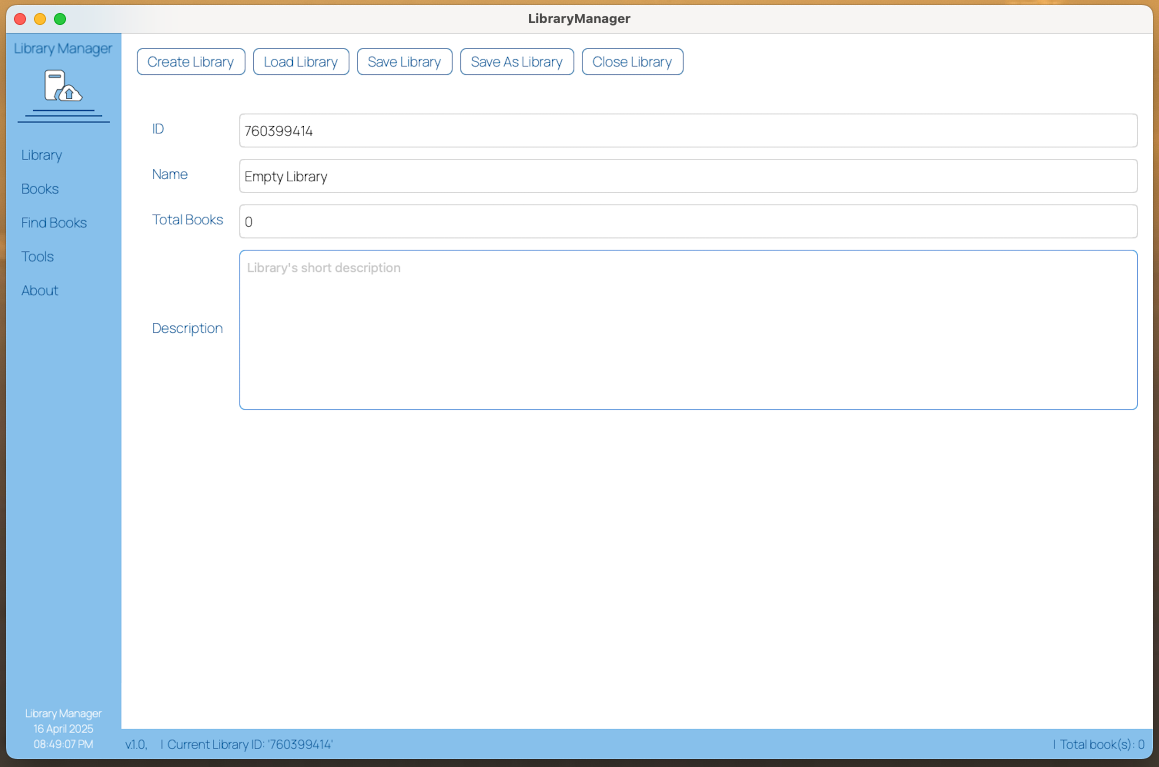
- Create/Load a Library: Click "Create Library" or "Load Library" and choose a file
- Add a New Book: Use the "Add Book" button, fill in the details, and save
- Edit/Delete Books: Select a book to modify or remove it
- Filter/Search: Use the search bar or category filters
- Manage Authors & Categories (Planned)
Screenshots
Screenshots
The main dashboard displaying an overview of your collection.
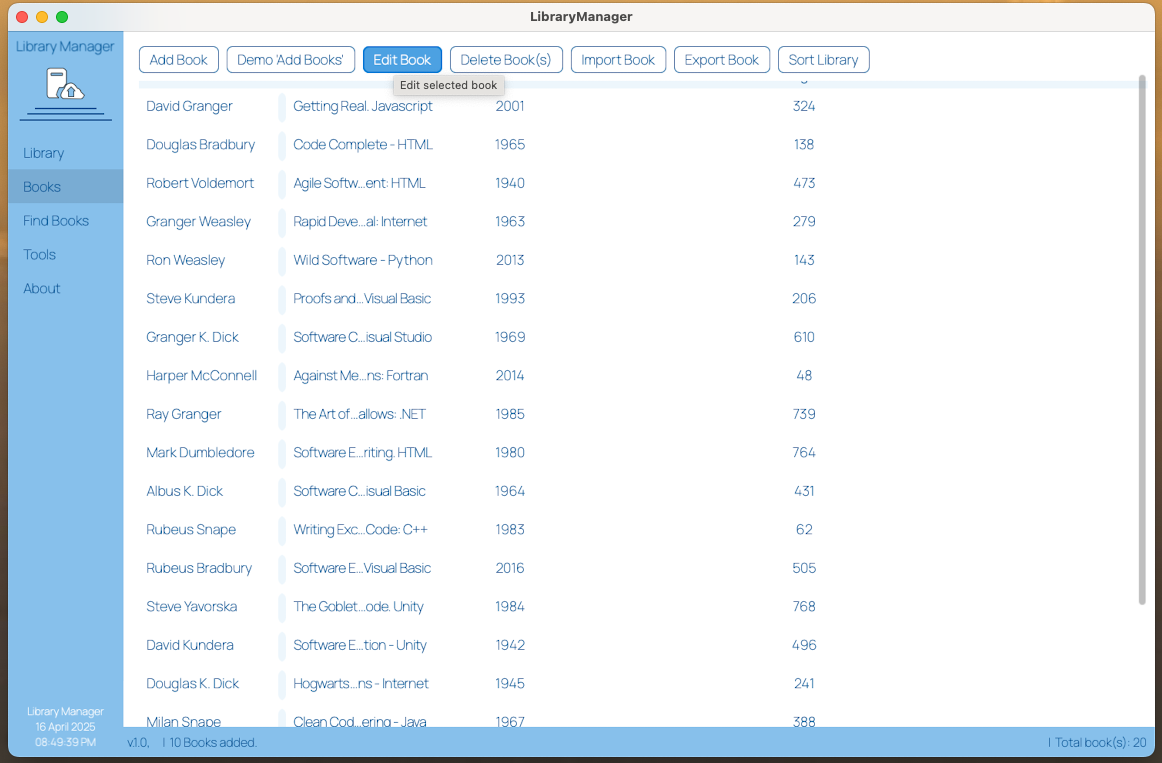
The 'Books view' interface.
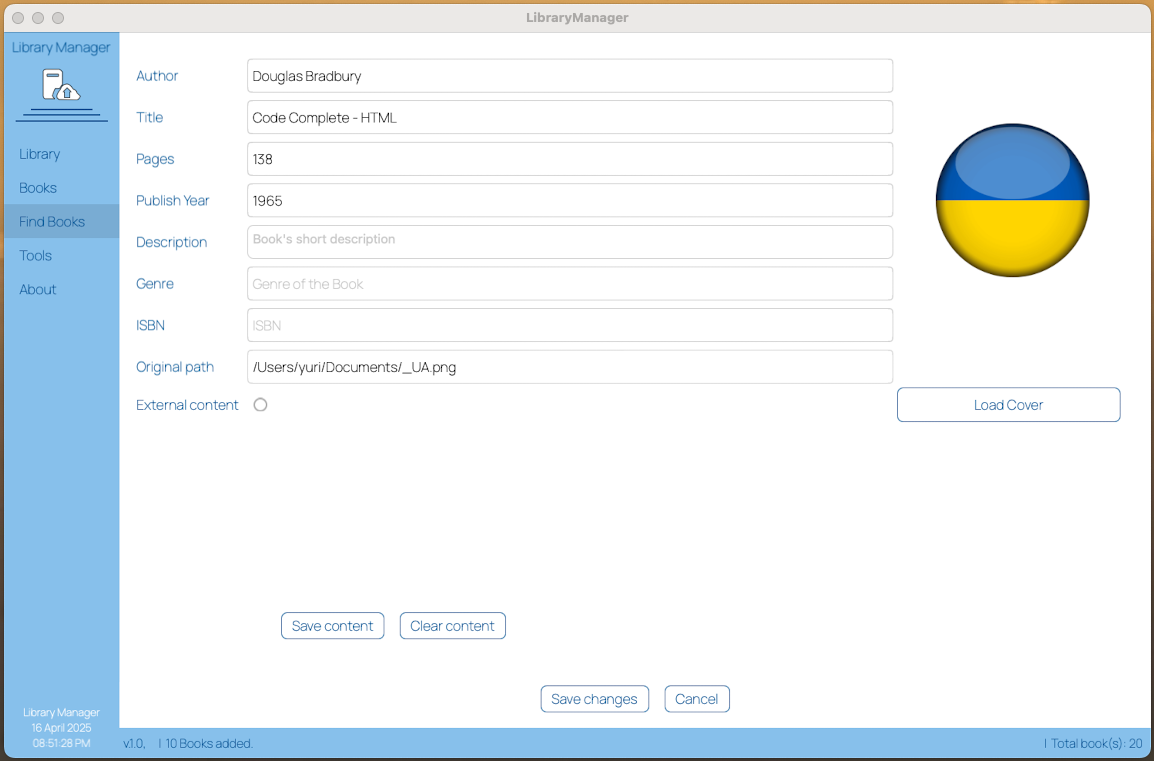
The 'Edit Book' interface with ISBN scanning feature.
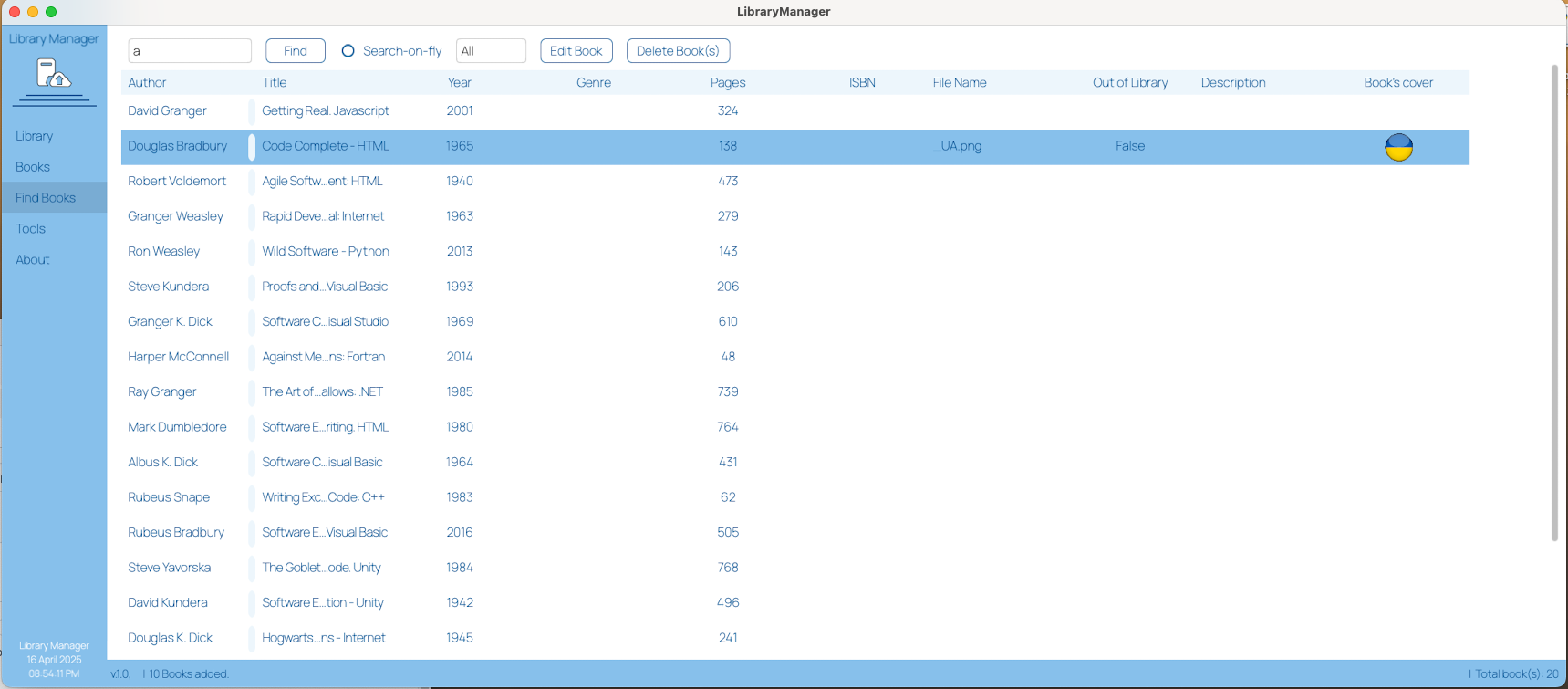
Find books in your library and edit or delete them.
Roadmap
- [ ] Implement cloud sync
- [ ] Improve cross-platform UI
- [ ] Add export/import functionality
- [ ] User authentication and multi-user support
Contribution
Contributions are welcome! Feel free to submit issues or pull requests.
Contact
For questions or support, contact me on GitHub.